Since so many people had such good questions about the digital page I thought I would share what I've learned so far.
I am not using a packaged scrapbooking program. I thought it would be to limiting for me, but I think there are a great ideas for someone not really interesting in completely learning
how to re-invent the wheel. Hallmark, Creating Keepsakes, HP and hundreds of other companies have scrapbooking software. If you want to just take it for a test run, without a lot of time investment package deals are probably the way to go, and pretty cheap. Here's a link to a review of Top Ten scrapbooking software:
http://scrapbooking-software-review.toptenreviews.com/Our old computer had Corel Paint Shop Pro on it which I updated to Paint Shop Pro X. Our computer died and we got a new one, so I just finally re-loaded the software. In the download there was a download available for Lynda Tutorials. Thought "I really need to learn how to use this thing." So I downloaded them too. Very helped with the basics, this is where they hook ya, but I really wanted more, so headed to the tutorial, website at
http://www.lynda.com/. Great website you can sign up for a year or just a month. I get the month package, it was $25.00. What I've learned so far is worth way more than $25.00, and I'm only a week into my subscription.
I'm using Paint Shop as my editor, art studio. It comes when a few scrapbookish thing, but I've been getting things from several different websites. Here's a few I like:
http://www.littledreamerdesigns.com/ and
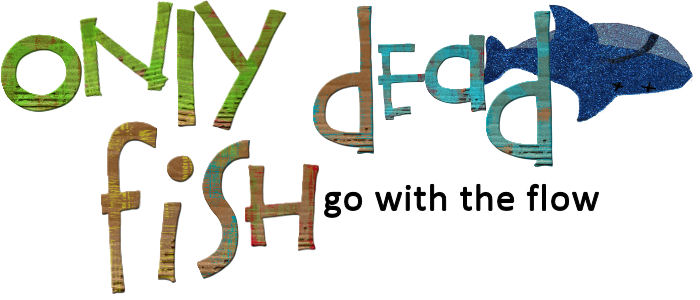
http://www.twopeasinabucket.com/digital.asp. There's tons more, but right now I haven't needed to wander. They've had anything I needed. You purchase via download: papers, fonts, and elements (ribbon, brads, staples). There's packages for things that all work together. Imagine walking into your favorite scrapbook store and there's a bag full of everything you need to complete a page and everything matchs. Same thing, just digital. Now the fun part for me in Paint Shop is I can make the elements, fonts and papers. For instance the glittery dead fish at the top of the blog is actually a cardboard thing I bought from JoAnn's. I took a picture of it -- I could have scanned it too -- digital cut it out and altered it, changed the smile to a frown and drew "Xed" out his eyes and flipped him. Here's the original picture.

Of course I'm weird do I had a total blast doing all of this. My point is you can make anything an element for you scrapbook pages.
After completing hat last scrapbook page, "Beach Bum" I uploaded it to Costco and had it printing out in 12 x 12 ($2.99) and 8 x 8 ($1.49ish). I wasn't sure what this thing was going to look like. It looked better than I expected.
I created the new title and background paper the blog with Corel Paint Shop also. I needed to use an outside source to figure out how to do the background paper, www.cutestblogontheblock.com.
That's what I know so far. I'll update as I learn and grow. :)
.jpg)


 Ok this challenge . . . what should I say? I felt it had to be hard angles, because we're talking Legos here. Those are hard angles! Have you stepped on a Lego in the middle of the night or the middle of the heel? Anyway, it ended up very utilitarian looking. But it gets the job done.


.jpg)


